Drop-In Ragdoll
A ragdoll for any humanoid Godot character, at any scale. Add one node, call go_limp().
@export var ragdoll: DropInRagdoll  # a child of the character's Skeleton3D

func knock_out(attacker_position: Vector3) -> void:
	ragdoll.go_limp(attacker_position.direction_to(global_position) * 4.0)

func _on_ragdoll_came_to_rest() -> void:
	ragdoll.get_up()  # blends back into whatever animation is playing
Price: free, or pay what you want on itch.io.
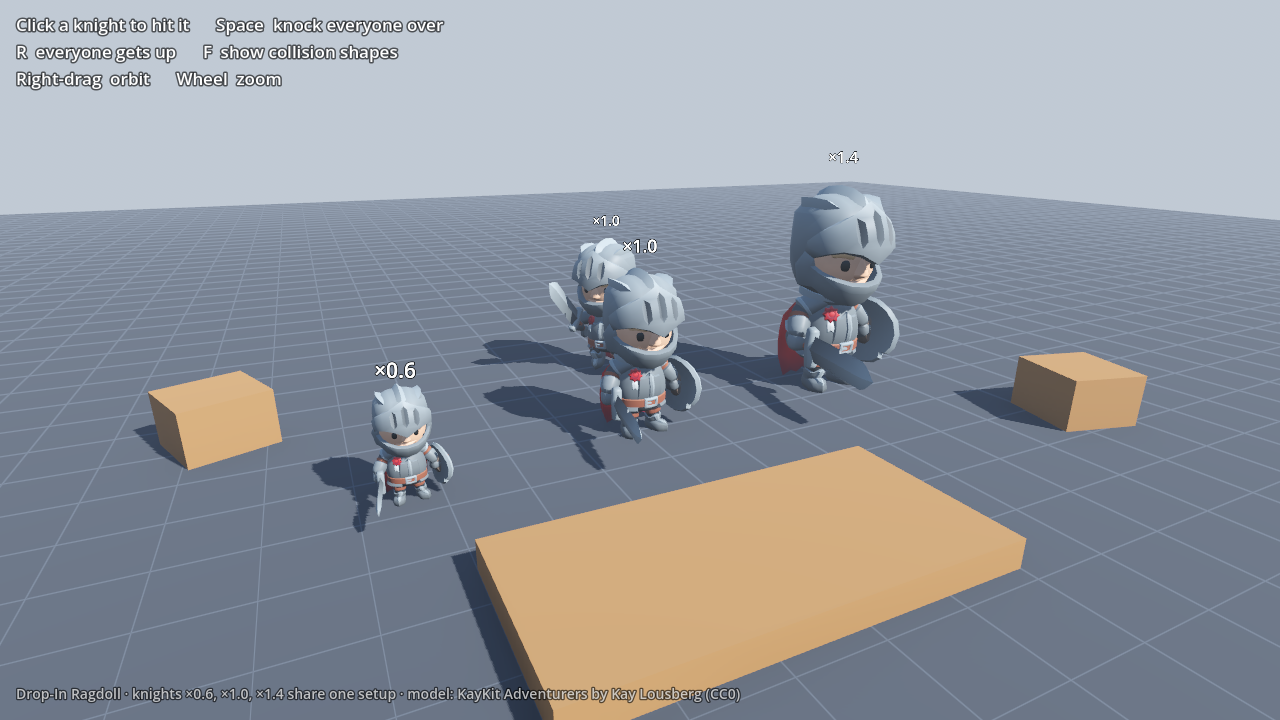
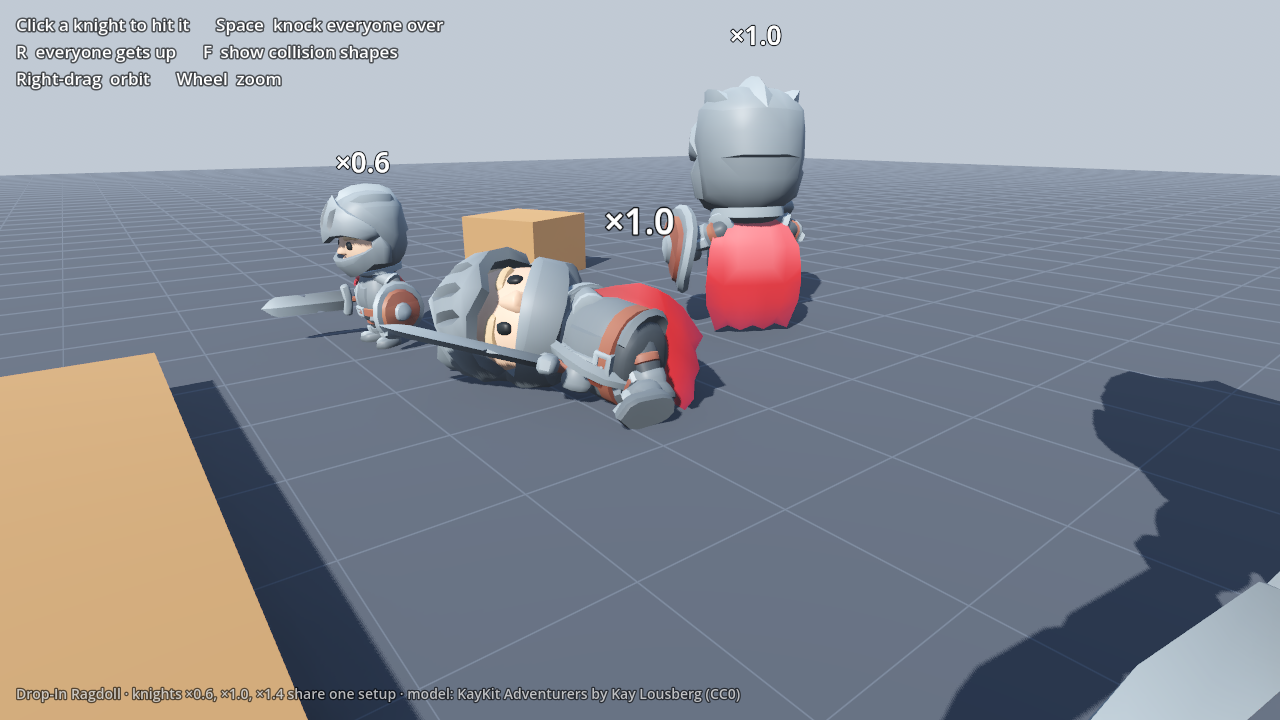
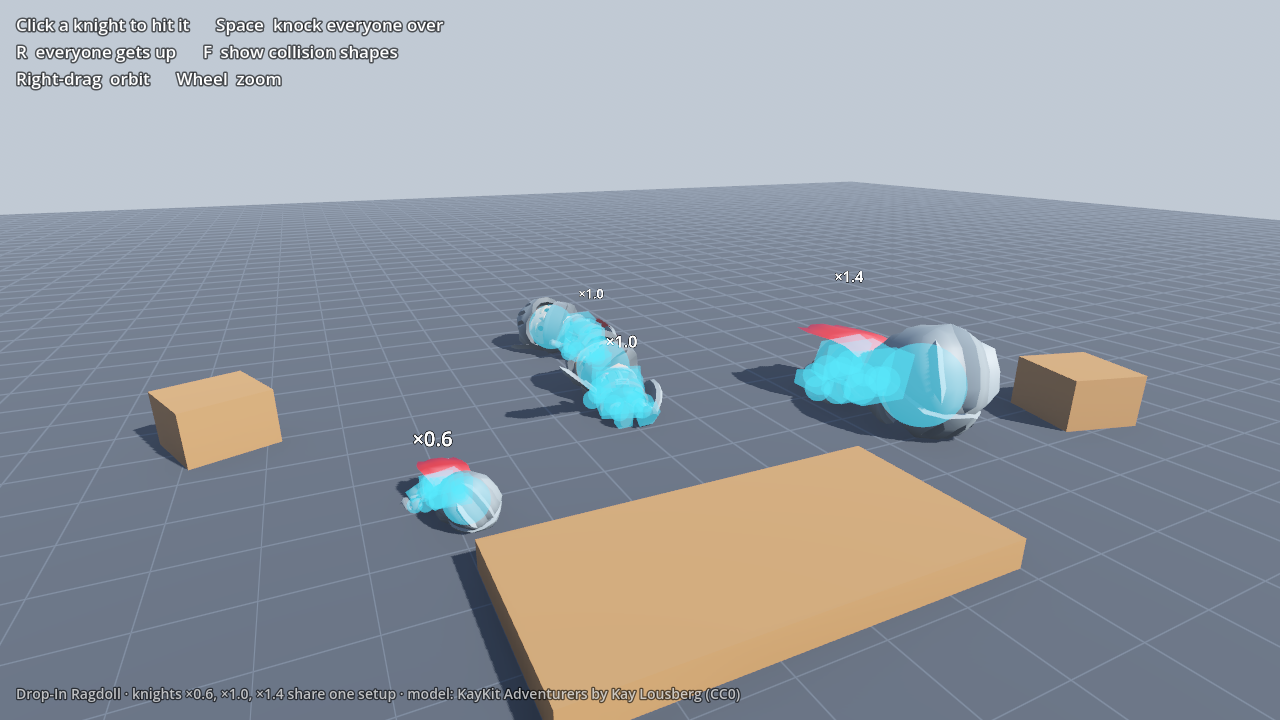
What it does
- Finds the bones itself. Godot humanoid names, Mixamo, Unreal and MPFB, Blender
.L/.R, 3ds Max Biped and VRoid rigs all work with no setup per character. For anything unusual, hand it aBoneMapor a few bone names. - Fits your character. It sizes its sixteen bodies (hips, spine, chest, head, upper and lower arms, hands, upper and lower legs, feet) to the character's skinned mesh, so a cartoon knight with a huge head gets a huge head.
- Bends the right way. Elbows and knees are hinges that only bend one way, and every limit is measured from the skeleton's rest pose.
- Settles cleanly. Joint damping stops dangling hands swinging, and the body comes to rest in a few seconds instead of twitching on the floor.
- Holds at any scale. A character scaled to 1.3 or 0.5, or one inside a scaled scene, falls exactly like one at 1.0. That's where
PhysicalBone3Dbreaks: here's why. - Starts from the pose on screen. No snap to a T-pose when physics takes over.
- Keeps momentum. On a
CharacterBody3DorRigidBody3D, the ragdoll starts with the body's velocity, so a running character tumbles forward. - Gets back up.
get_up()blends from wherever the body came to rest into your animation, andis_face_up()tells you which get-up animation to play.
Signals and calls
go_limp(velocity),get_up(blend_seconds)andhit(impulse, at)for knocking a limp body around.went_limp,came_to_restandgot_upsignals.is_limp(),is_resting(),get_body(part)andget_part_position(part)for gameplay checks.
Settings
Everything is an inspector setting: total mass, shape scale, friction, bounce, damping, collision layer and mask, self-collision, and a joint limit for each joint (spine, neck, shoulders, hips, wrists, ankles, elbows, knees).
Requirements
- Godot 4.7. Built and tested on 4.7.2. Pure GDScript, so there's nothing to compile.
- Jolt Physics. Set Project Settings → Physics → 3D → Physics Engine to Jolt Physics. On Godot Physics the joints stretch and bodies may never settle, and the node shows an editor warning until Jolt is set.
Comes with a demo scene and a readme. Install by copying addons/dropin_ragdoll/ into your project: there's no plugin to enable, and DropInRagdoll shows up in the Add Child Node dialog.